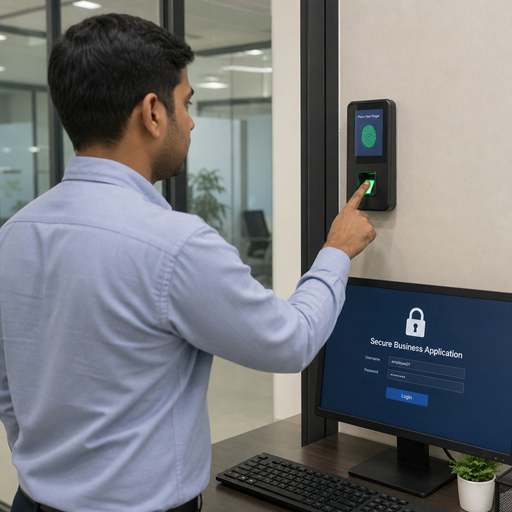
Biometric multi-factor authentication combines something a user is, such as a fingerprint or face scan, with another proof of identity, such as a device, passkey, PIN, or security token. For organizations, it can strengthen user authentication while making secure access feel faster and more natural for employees, customers, and partners. Successful adoption depends less on choosing the flashiest security technology and more on matching the method to real risks, user needs, privacy expectations, and operational workflows.
What does biometric multi-factor authentication mean?
Biometric multi-factor authentication means using biometric authentication as one factor within a broader identity verification process, rather than treating a fingerprint, face, or voice check as the only gatekeeper. In practice, a user may unlock a trusted device with a biometric check and then use that device, a passkey, or a token to confirm access to an application. The goal is to reduce reliance on passwords alone while adding layers that are hard to steal, guess, or reuse.
Traditional multi-factor authentication often asks for two or more categories of proof: something the user knows, something the user has, and something the user is. Biometrics sit in the “something you are” category. When paired with a possession factor, such as a registered phone or hardware key, they can improve both security and usability.
It is important to understand what biometrics do and do not prove. A biometric scan can help confirm that the person interacting with a device matches an enrolled biometric template. It does not, by itself, guarantee that the original enrollment was legitimate, that the session is risk-free, or that the user should have access to every resource. That is why strong mfa solutions combine biometric checks with device trust, application policy, access controls, monitoring, and recovery procedures.
Why adoption is accelerating
Organizations are adopting biometric multi-factor authentication because password-based access creates friction and risk. Passwords can be forgotten, reused, phished, shared, or exposed in breaches. Even when users follow good password habits, the experience can be slow and frustrating, especially when they move across devices, applications, and locations throughout the day.
Biometric authentication can reduce that friction. A quick fingerprint or face check may be easier than typing a long password or waiting for a code. For workers who access systems repeatedly, that time savings can improve productivity and reduce help desk demand. For customers, it can make account access feel smoother without weakening the security posture.
The broader shift toward remote work, cloud applications, mobile-first experiences, and zero trust security has also changed expectations. Secure access now needs to work beyond the office network. A user may sign in from a managed laptop, personal phone, branch location, airport, or shared workspace. Biometric multi-factor authentication helps organizations verify users in more flexible environments, especially when combined with adaptive policies that evaluate device health, location, behavior, and sensitivity of the requested action.
Core benefits for organizations and users
The value of biometric MFA is strongest when it improves protection and experience at the same time. A good deployment should make legitimate access easier while making unauthorized access harder.
Key benefits include:
- Stronger resistance to credential theft: A stolen password is less useful if the attacker also needs access to a trusted device and a valid biometric match.
- Improved user experience: Users can often authenticate with a quick physical action instead of memorizing or entering complex credentials.
- Lower password fatigue: Reducing password prompts can limit risky behaviors such as reuse, weak passwords, or writing credentials down.
- More consistent identity verification: Biometric checks can support repeatable authentication across approved devices and workflows.
- Better fit for mobile and frontline environments: Workers who move quickly between tasks may benefit from faster user authentication methods.
- Support for secure access strategies: Biometric MFA can align with zero trust, least privilege, and risk-based access models.
These benefits are not automatic. They depend on enrollment quality, device security, fallback design, user education, and policy tuning. A biometric system that is difficult to use or poorly explained can create support issues. A system that lacks strong recovery controls can expose the organization to account takeover risks when users lose devices or need re-enrollment.
The main adoption challenges
Biometric MFA adoption requires careful planning because it touches security, privacy, accessibility, compliance, and employee trust. Unlike a password, a biometric trait cannot simply be changed if users believe it has been mishandled. That makes governance and transparency essential from the beginning.
Privacy is often the first concern. Users want to know what biometric data is collected, where it is stored, whether the organization can view it, how long it is retained, and how it is protected. Many modern approaches avoid storing raw images centrally and instead use templates, device-based matching, or platform authenticators. Even so, organizations should communicate clearly and avoid vague promises.
Accessibility is another major factor. Not every user can use every biometric method reliably. Fingerprint readers may be difficult for people with certain skin conditions, manual work patterns, or physical differences. Face recognition may be affected by lighting, camera quality, protective equipment, or user preference. Voice authentication may not work well in noisy spaces or for users with speech-related needs. A fair program gives users secure alternatives without making them feel singled out.
Operational complexity also matters. Teams must decide who can enroll, how identity is verified before enrollment, which devices are trusted, how lost devices are handled, and what happens when biometric matching fails. Without these details, the technology may appear secure while leaving gaps in the real workflow.
Building the business case
A strong business case connects biometric multi-factor authentication to measurable security and operational priorities. Instead of framing the project as a technology upgrade, describe the access problems it solves. Those may include phishing risk, high password reset volume, slow login processes, inconsistent access controls, or customer abandonment during sign-in.
Start by identifying the users and systems where the risk or friction is highest. Administrative accounts, finance applications, developer environments, customer portals, healthcare workflows, and field operations may each require different levels of assurance. Biometric MFA does not have to launch everywhere at once. In many cases, a phased rollout reduces disruption and gives the organization time to refine policies.
A practical business case should cover:
- Risk reduction: Explain which attack paths the solution helps reduce, such as credential stuffing, phishing, or unauthorized device use.
- User impact: Describe how the experience changes for employees, customers, contractors, or partners.
- Operational impact: Estimate where support teams may save effort and where new support needs may appear.
- Compliance and governance: Identify privacy, retention, consent, accessibility, and audit requirements.
- Integration needs: Map connections to identity providers, device management platforms, applications, and existing mfa solutions.
- Recovery model: Define secure processes for lockouts, device loss, role changes, and re-enrollment.
The best business cases are balanced. They do not claim that biometrics eliminate all authentication risk. They show how biometric authentication becomes one well-governed layer in a broader identity and access program.
How should an organization choose the right biometric MFA approach?
An organization should choose the approach that fits its risk profile, user population, device environment, and privacy obligations, not simply the option that seems most advanced. The right model is one users can complete reliably, administrators can govern consistently, and security teams can monitor effectively. A solution that works beautifully for office employees on managed laptops may not fit contractors, call center agents, or field teams using shared devices.
Match the method to the environment
Fingerprint, face, voice, and behavioral biometrics each have different strengths. Fingerprint and face authentication are common on modern phones and laptops, making them useful where users have compatible devices. Voice may be relevant in call center or phone-based identity verification workflows. Behavioral signals, such as typing rhythm or navigation patterns, may support risk analysis in the background, though they should be explained carefully when used in sensitive contexts.
The environment shapes the choice. A warehouse with gloves, dust, and shared workstations has different needs from a remote software team. A consumer banking app has different expectations from an internal HR portal. Choosing well means observing how people actually work, not only how policy assumes they work.
Evaluate storage and matching models
Biometric systems can differ significantly in how data is handled. Some approaches perform matching locally on the user’s device. Others may rely on server-side systems or specialized identity verification services. Local matching can reduce some privacy concerns because the biometric template may remain protected on the device, but it still requires strong device trust and lifecycle management.
Decision-makers should ask plain questions before adoption: What data is captured? Is a raw image stored? Is a mathematical template created? Where is it stored? Who can access it? Can it be deleted? What happens when a user leaves the organization? These questions should be answered in language that legal, security, HR, and user communities can understand.
Prioritize interoperability
Biometric MFA should not become an isolated island. It should integrate with identity providers, single sign-on, endpoint management, privileged access controls, customer identity platforms, and audit tools. Integration makes it easier to apply consistent access policies and remove access when roles change.
Interoperability also protects flexibility. Business needs, devices, and security standards evolve. A solution that supports open, widely adopted authentication patterns is usually easier to manage over time than one that locks critical access into a narrow ecosystem.
Implementation roadmap for smoother adoption
A careful rollout helps organizations reduce risk while building user confidence. The following roadmap can be adapted for employee, customer, or partner access programs.
- Define the access problem. Clarify whether the main goal is phishing resistance, faster login, better identity verification, reduced password resets, or stronger protection for sensitive systems.
- Segment users and applications. Identify who needs biometric MFA first and which systems require stronger assurance.
- Review privacy and legal requirements. Document what data is collected, how consent or notice is handled, how data is protected, and how deletion works.
- Select authentication factors. Pair biometric authentication with a possession factor, device trust, passkeys, tokens, or adaptive policy controls.
- Design enrollment carefully. Confirm the user’s identity before enrollment, especially for high-risk roles or customer accounts.
- Plan fallback and recovery. Provide secure alternatives for failed scans, lost devices, accessibility needs, and emergency access.
- Pilot with representative users. Include different roles, devices, locations, accessibility needs, and technical comfort levels.
- Measure and refine. Track completion rates, lockouts, help desk contacts, user feedback, and security alerts.
- Scale in phases. Expand after policies, support materials, and administrative workflows have been tested.
- Review continuously. Revisit settings, risk signals, and user experience as threats and business needs change.
This staged approach keeps the project grounded. It also helps teams catch small usability problems before they become large adoption barriers.
Security and privacy safeguards that matter
Biometric MFA should be implemented with strong safeguards around both the authentication process and the surrounding identity lifecycle. The most secure design can still fail if enrollment is weak, administrators have excessive privileges, or recovery paths are easy to exploit.
Practical safeguards include:
- Strong enrollment proofing: Verify the user before binding a biometric method to an account.
- Device trust checks: Confirm that the device is registered, healthy, and protected before allowing sensitive access.
- Least privilege access: Limit users to the systems and data needed for their role.
- Adaptive authentication: Require stronger checks when risk increases, such as unusual locations, new devices, or high-value transactions.
- Clear data minimization: Collect only what is needed and avoid retaining biometric-related data longer than necessary.
- Secure recovery: Treat account recovery as a high-risk process, not a convenience feature.
- Audit logging: Record authentication events, enrollment changes, and administrative actions in a reviewable format.
- User transparency: Explain what the system does, what it does not do, and how users can get help.
Security teams should also test the full journey. That means reviewing enrollment, daily sign-in, failed authentication, device replacement, role transfer, termination, and incident response. Attackers often look for weaker side doors, and recovery flows can become those side doors if they are not designed with care.
User trust drives long-term success
People are more likely to accept biometric MFA when they understand the purpose and feel respected in the process. Adoption should not rely on surprise prompts or vague security messaging. Users need clear explanations before rollout, simple instructions during enrollment, and accessible support afterward.
Communication should focus on practical questions: why the change is happening, what users will experience, what data is involved, what choices are available, and what to do if something fails. Avoid overpromising. Saying that biometric multi-factor authentication helps protect accounts is credible. Saying it makes accounts impossible to compromise is not.
Training should be role-specific when possible. Executives, administrators, frontline workers, developers, and customers may face different workflows and risks. A short, relevant guide is more useful than a long policy document no one reads. For customer-facing adoption, the best experience is often embedded directly into the sign-in and enrollment journey, with concise prompts and reassuring explanations at the moment users need them.
Measuring adoption and performance
Measurement helps organizations understand whether biometric MFA is improving security and experience. The right metrics depend on the use case, but they should include both technical and human signals. A deployment with strong security settings but frequent lockouts may need adjustment. A deployment with easy access but weak recovery checks may need stronger controls.
Useful measures include:
- Enrollment completion rates by user group
- Authentication success and failure patterns
- Help desk contacts related to access, lockouts, and device changes
- Password reset volume before and after rollout
- Time required to complete common sign-in flows
- Security alerts involving suspicious access attempts
- Recovery requests and re-enrollment events
- User feedback from pilots and post-launch surveys
Metrics should be reviewed in context. A temporary rise in support requests may be normal during rollout. Persistent failure patterns for a specific group, location, or device type may signal an accessibility or configuration issue. Security leaders, IT teams, privacy stakeholders, and business owners should review results together so decisions do not become purely technical.
Common mistakes to avoid
Many biometric MFA problems come from treating adoption as a software switch instead of a change in the identity experience. The technology may be capable, but the rollout can still fail if policies and people are not ready.
Avoid these mistakes:
- Using biometrics as the only factor: Biometrics are strongest when combined with another factor and broader access policy.
- Skipping privacy review: Users and regulators may expect clear answers about biometric data handling.
- Ignoring accessibility: Always provide secure alternatives for users who cannot or prefer not to use a specific biometric method.
- Rushing enrollment: Weak enrollment can attach a strong authenticator to the wrong person.
- Underestimating recovery risk: Attackers may target fallback processes if they are easier than the main login.
- Launching without support readiness: Help desk teams need scripts, escalation paths, and administrative tools before rollout.
- Failing to monitor after launch: Authentication risk changes as users, devices, threats, and applications change.
A thoughtful program treats these issues as design requirements, not afterthoughts.
Best practices for sustainable adoption
Sustainable adoption comes from balancing security, usability, privacy, and governance. Organizations should start with clear goals, choose methods that fit real workflows, and give users enough information to participate confidently. They should also keep policies flexible enough to adapt as technology and risk change.
A practical checklist includes:
- Define the business and security outcomes before selecting tools.
- Use biometric authentication as part of multi-factor security, not as a standalone shortcut.
- Verify identity carefully before enrollment.
- Prefer user-friendly flows that reduce unnecessary prompts.
- Provide secure alternatives for accessibility, device limitations, and personal circumstances.
- Document data handling, retention, deletion, and administrative access.
- Align biometric MFA with single sign-on, device management, and access governance.
- Test with representative users before broad deployment.
- Monitor performance, feedback, and suspicious activity after launch.
- Review recovery procedures regularly.
Biometric multi-factor authentication can be a powerful step toward secure access when it is adopted with care. The strongest programs do more than add a fingerprint or face scan to login. They build a trustworthy identity verification experience that protects accounts, respects users, and fits the way people actually work.